



Workday Updates
Current Known Issue(s)
Routings for financial approvals
- Approval routings for expense reports and invoice payments may not follow the department’s preferred workflow. Scenario-specific workflow configuration is needed.
- Action needed: Create a Workday Support Ticket or contact [email protected] to request an update.
Access to budget reports
- Some users may not see one or more budgets they required. The individual needs to be granted access to the budget(s).
- Action needed: Create a Workday Support Ticket or contact [email protected] to request visibility to specific the budget(s).
Recent Fixes and Enhancements
September 2026 Major Release from Workday: In addition to small weekly fixes, Workday releases platform-wise updates for all customers twice year in September and March. This is Macalester first major release from Workday since going live this past summer. Most changes in this release are invisible to end-users, and any that are visible are intended to unify the look-and-feel between Workday’s desktop and mobile experience. Functionality has not changed and no action is needed; this is an informational update as the Macalester-community may notice some changes to commonly used pages*.
*Some of before and after images are from Workday and may not reflect Macalester-specific configurations.
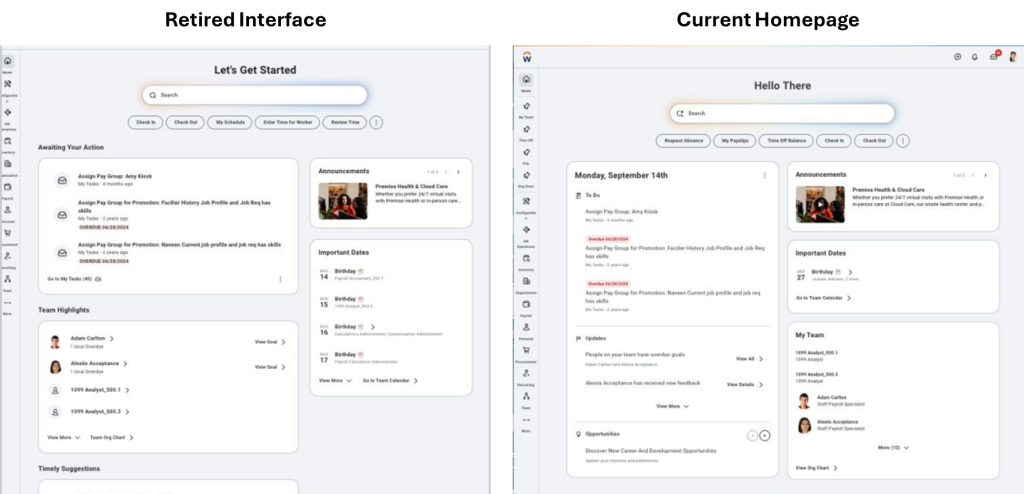
Workday Homepage
Consolidated Daily Brief of what you should know is now in the first column. This cosmetic change makes better use of space and provides a more consistent experience between desktop and mobile versions of Workday.
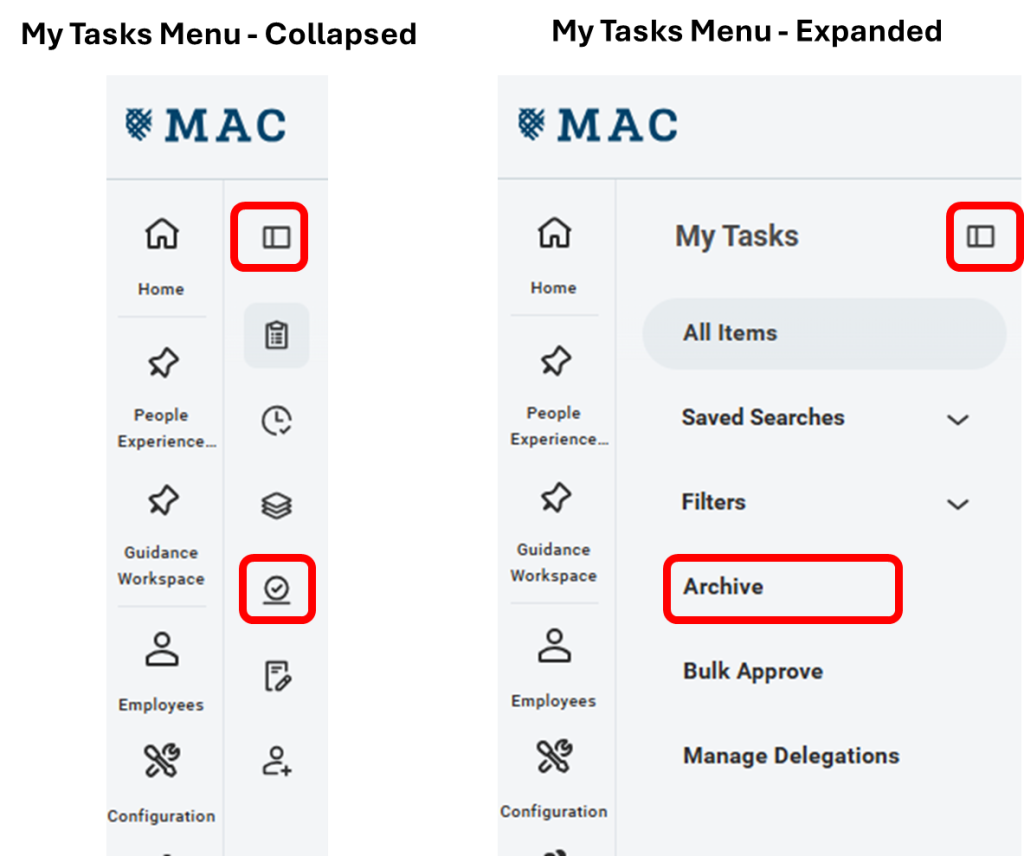
My Tasks
Updated icons in the My Tasks menu, specifically the menu’s expand/collapse button and the Archive button.
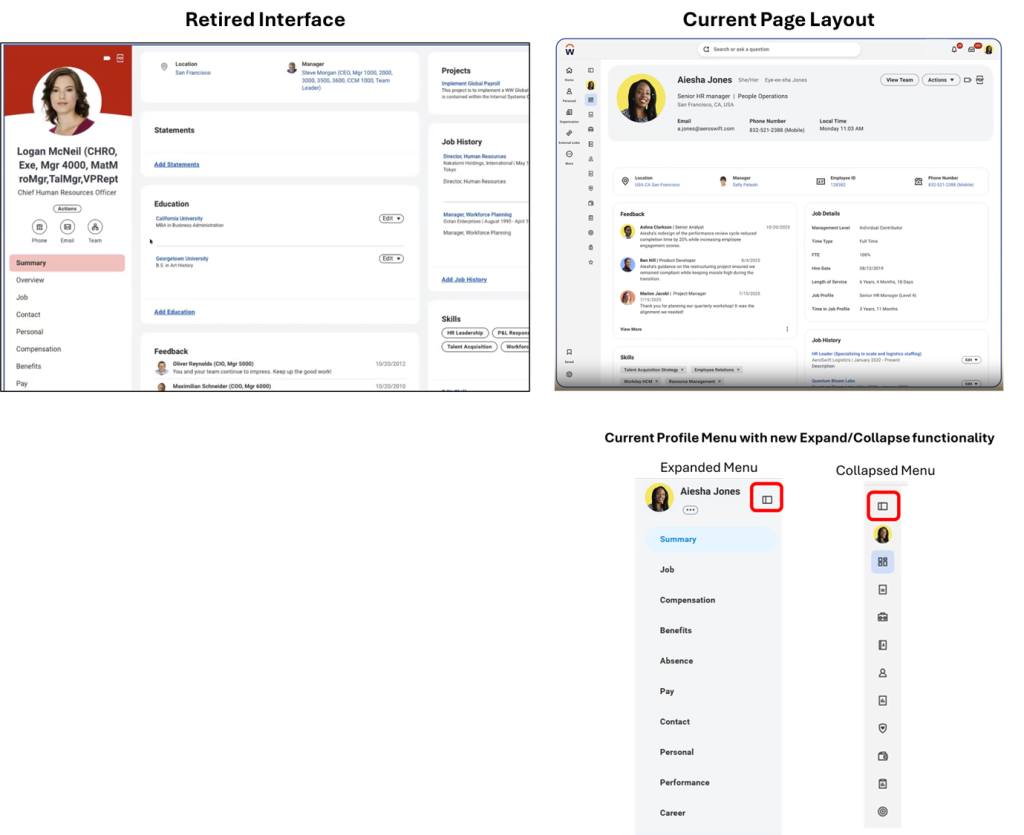
Personal Profile
New header layout and the new expand/collapse feature. Our Personal Profile pages have updated to have a more consistent experience between desktop and mobile versions of Workday. The experience is similar to both the Global Navigation Sidebar and My Tasks.
Planned Maintenance Outages
Workday performs planned maintenance that includes weekly service updates, monthly, and quarterly planned maintenance, and feature releases. These changes are in addition to configuration enhancements and new reports managed by Macalester’s Workday administrators. Most changes made by Macalester do not require an outage.
Weekly Updates
Saturdays 1:00 – 4:00 AM Central Time. Outages may last up to 3 hours
Monthly and Quarterly Updates
Updates begin 1:00 AM Central Time.
Monthly updates may last up to 7 hours. Quarterly updates may last up to 11 hours.
-
September 19 – Monthly update
October 17 – Quarterly update
November 21 – Monthly update
December 12 – Monthly update
-
January 9 – Monthly update
February 20 – Quarterly update
March 6 – Monthly update
April 17 – Monthly update
May 15 – Quarterly update
June 12 – Monthly update
July 17 – Quarterly update
August 14 – Monthly update
September 18 – Monthly update
October 16 – Quarterly update
November 20 – Monthly update
December 11 – Monthly update